Printing bills shouldn’t be confusing.
With Simple Bluetooth Printer, you can easily print on 58mm, 80mm, and even custom widths like A4-size layouts—all from your mobile.
This guide explains which paper size to use, where it’s commonly used, and how to configure it inside the app.
Step 1: Configure Printer Width in Settings
- Open Simple Bluetooth Printer
- Go to Settings
- Select Printer Width
- Choose:
- 58mm
- 80mm
- Custom Width (for A4 or large formats)
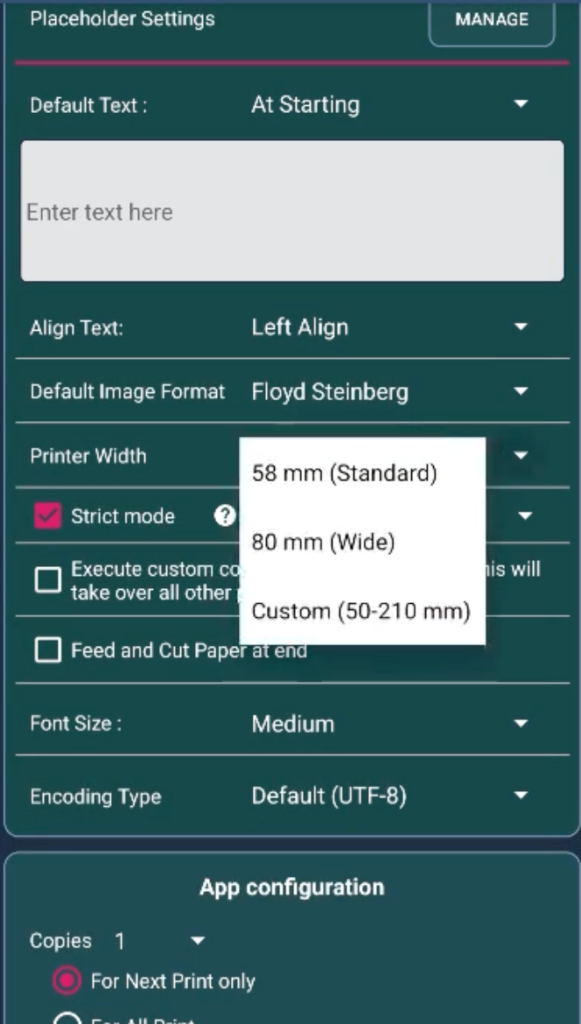
That’s it.
Once set, all content automatically aligns to the selected width.
Common POS & Thermal Paper Sizes Explained


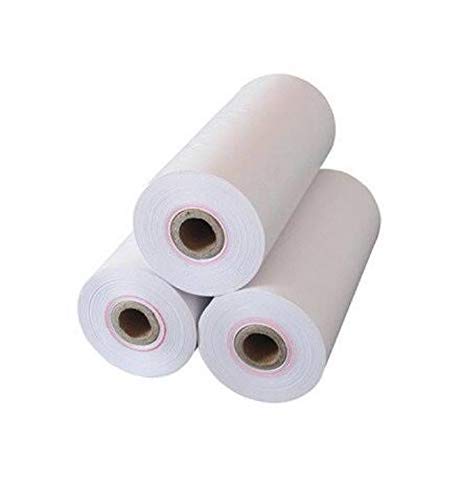
2-Inch (58mm) Thermal Paper
- Width: ~58mm
- Common Sizes: 57×35mm, 57×40mm
- Best For:
- Mobile POS devices
- Handheld billing machines
- Small shops & kiosks
- Why choose this?
- Compact
- Low paper usage
- Easy to carry
3-Inch (80mm) Thermal Paper
- Width: ~80mm
- Common Sizes: 80×60mm, 80×80mm
- Best For:
- Retail stores
- Supermarkets
- Restaurants & hotels
- Why choose this?
- More space for item details
- Clear tax & total display
- Industry standard for billing
4-Inch (112mm+) / A4-Style Layouts
- Width: 112mm and above
- Examples: 4×6 inches, A4-style formatted prints
- Best For:
- Shipping labels
- Logistics & warehouse documents
- Large invoices
- How to use in the app?
- Select Custom Width
- Enter the required width manually
- Content auto-scales and aligns
Where Each Paper Size Is Commonly Used
🏪 Retail / POS Billing
- 80mm: Standard counter billing
- 58mm: Handheld or mobile billing
📦 Label Printing
- 2-Inch: Inventory & product labels
- 4-Inch: Courier & shipping labels
🎟 ATM / Ticketing Systems
- 80mm
- Roll length can go up to 200 meters
Smart Printing Features You Get
✔ Automatic Text Alignment
- Text adjusts automatically based on printer width
- No manual spacing needed
✔ Strict Mode Support
- Prevents layout breaking
- Ensures clean, predictable output
✔ Image Printing
- Print logos, QR codes, barcodes, and images
- Scales perfectly to paper width
✔ Direct Text Printing
- Just type → print
- Alignment handled by the app
Why This Matters
Different businesses use different printers.
Instead of changing your workflow, Simple Bluetooth Printer adapts to your printer.
Whether you’re printing:
- a small receipt
- a restaurant bill
- or a large A4-style invoice
You configure once—and print confidently every time.
Final Tip
If your print looks too tight or too wide:
- Just go back to Settings → Printer Width
- Switch between 58mm / 80mm / Custom
- Reprint instantly
No trial-and-error. No wasted paper.