Best Bluetooth Printer App for iPhone — Simple Bluetooth Printer iOS 2026
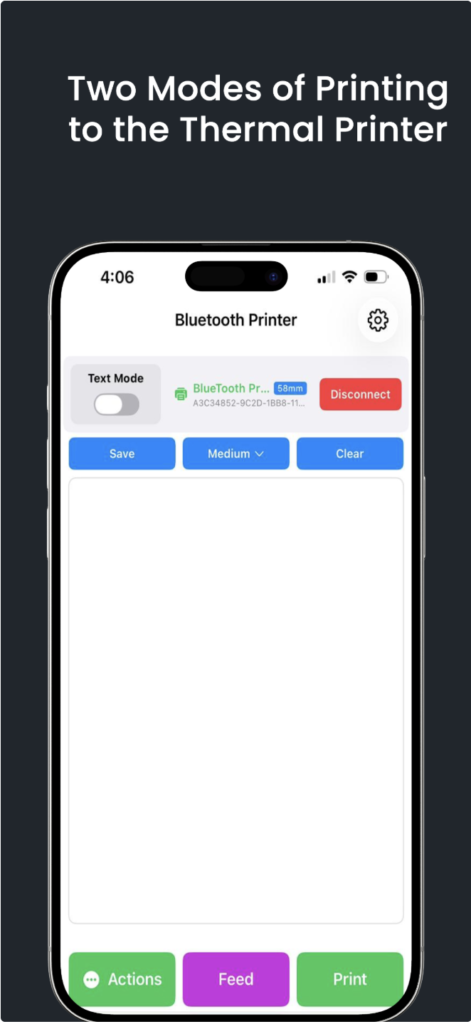
Looking for the best Bluetooth printer app for iPhone? Simple Bluetooth Printer connects your iPhone or iPad to any ESC/POS Bluetooth thermal printer in seconds — print receipts, invoices, QR codes, barcodes, and images completely offline. No Wi-Fi. No account. No setup headaches.
Available free on the App Store for iOS 15+, Simple Bluetooth Printer is the same trusted app used by 500,000+ Android users — now fully built for iPhone and iPad with a native iOS interface and Bluetooth BLE support.
Why Simple Bluetooth Printer Is the Best iOS Bluetooth Printer App
Most Bluetooth printer apps for iPhone are clunky ports that barely work. Simple Bluetooth Printer was rebuilt for iOS — fast BLE scanning, a clean native UI, and features that matter for small businesses, cafes, warehouses, and on-the-go printing.
- Free to download — no mandatory subscription
- Works 100% offline over Bluetooth BLE
- Supports 58mm and 80mm ESC/POS thermal printers
- Prints receipts, invoices, QR codes, barcodes, and photos
- AI Content Generator for instant receipt and invoice templates
- Compatible with iPhone and iPad running iOS 15+
Two Print Modes: Text Mode and Image Mode
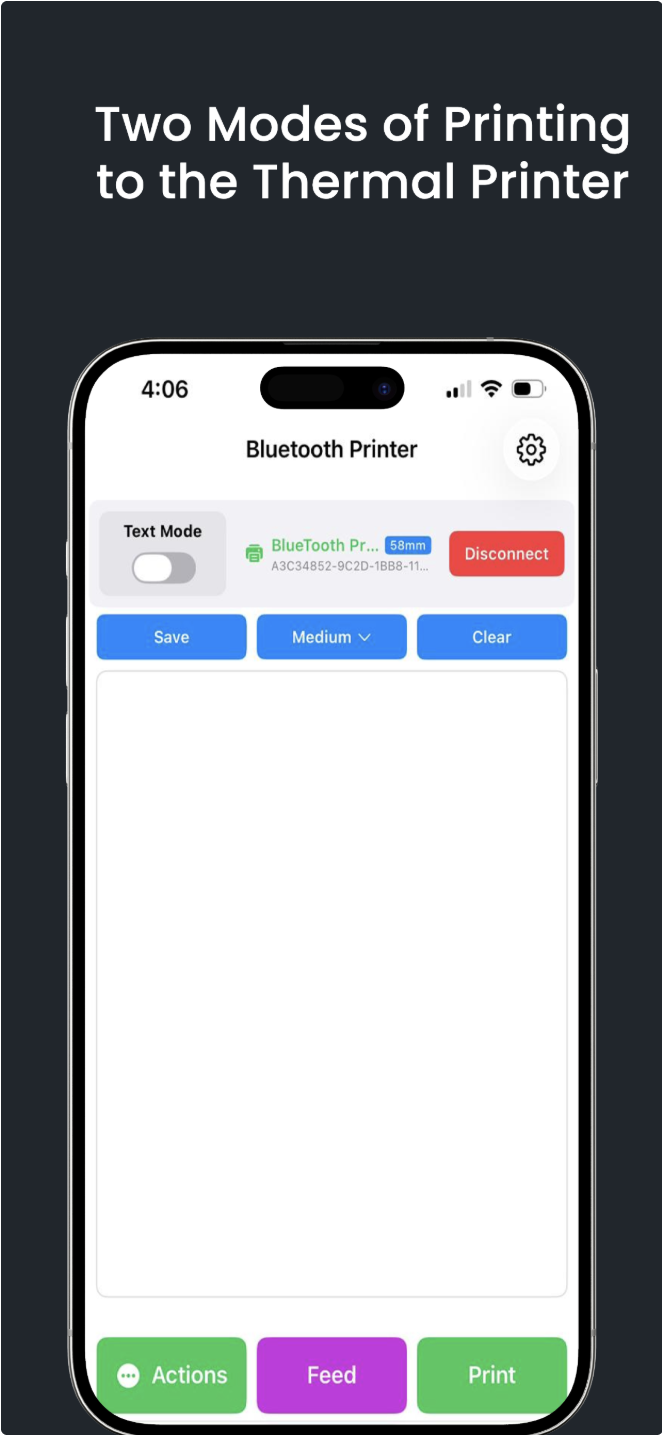
Simple Bluetooth Printer for iPhone offers two distinct printing modes to cover every use case:
- Text Mode — Design receipts using ESC/POS variables like {{ALIGN_CENTER}}, {{BOLD_ON}}, {{INVOICE_NO}}, {{SUBTOTAL}}, and {{TAX(SUBTOTAL,8)}}. Full dynamic variable support for tax, discounts, and totals.
- Image Mode — Print photos, logos, and graphics directly from your iPhone camera roll or take a new photo to print instantly.
Toggle between modes with a single tap. The app remembers your last connected printer so you can reconnect in one tap every time.
How to Connect a Bluetooth Printer to iPhone
Connecting a Bluetooth thermal printer to your iPhone takes under 60 seconds:
- Download Simple Bluetooth Printer from the App Store (free).
- Turn on your ESC/POS Bluetooth thermal printer.
- Open the app and tap Find to scan for nearby Bluetooth printers.
- Your printer appears in the list — tap Connect.
- The app connects instantly via BLE and remembers the printer for next time.
Unlike Android, iPhone does not require pre-pairing in Bluetooth settings. Simple Bluetooth Printer handles the entire BLE connection inside the app.
Print QR Codes and Barcodes from iPhone
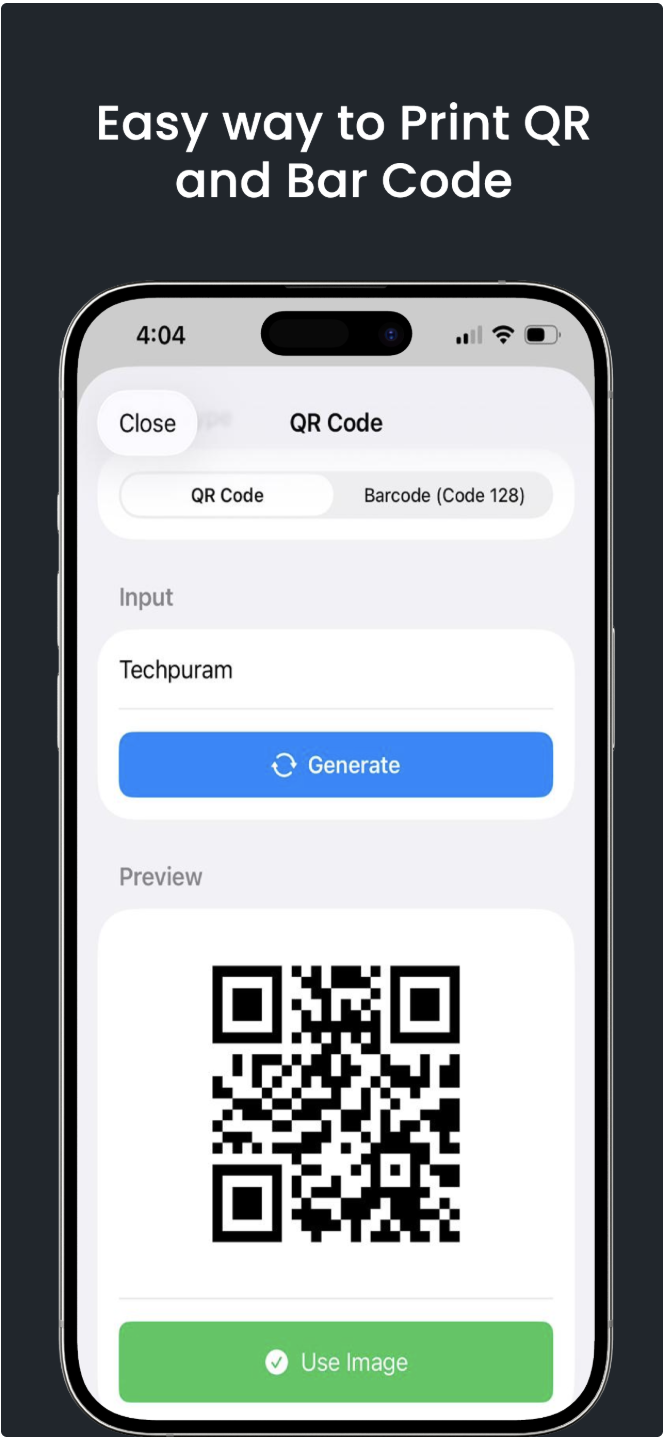
The built-in QR code and barcode generator lets you type any text or URL, preview the code, and print it directly to your thermal printer:
- QR Code — for URLs, product IDs, payment links, or any text
- Barcode (Code 128) — for product SKUs, inventory codes, shipping labels
- Preview before printing — confirm the code looks right on screen first
- Tap Use Image to insert into a receipt or print standalone
Print Photos and Images from iPhone Camera or Gallery
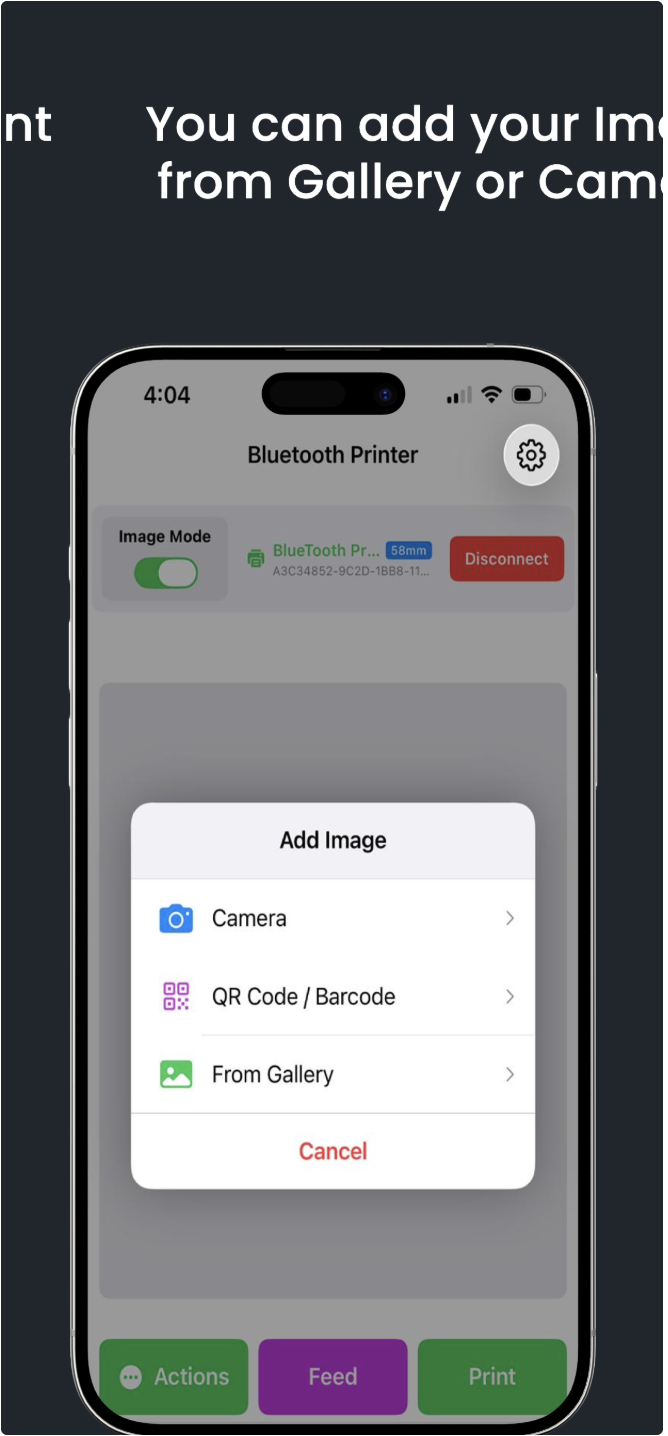
In Image Mode, tap Actions → Add Image and choose from:
- Camera — take a photo on the spot and print it immediately
- QR Code / Barcode — generate and print a code as an image
- From Gallery — pick any photo from your iPhone Photos library
Floyd-Steinberg dithering is applied by default to convert color images to the crisp black-and-white output that thermal printers require.
AI Content Generator — Create Receipts and Invoices Instantly
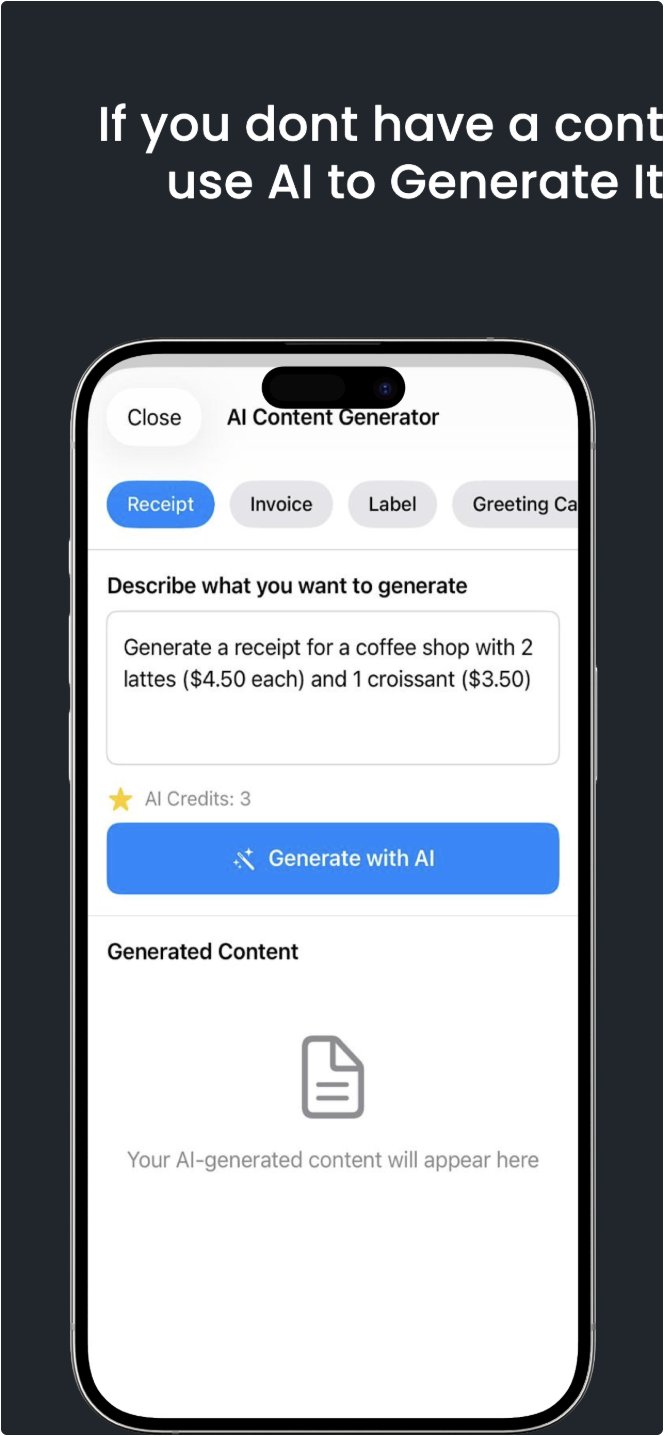
No template? The AI Content Generator builds one instantly. Describe what you want to print, choose a type (Receipt, Invoice, Label, or Greeting Card), select your language, and tap Generate with AI. The template appears ready to print in seconds.
AI Credits are free to earn by watching a short ad — making AI-powered receipt printing on iPhone accessible without any subscription.
Advanced Settings for Power Users
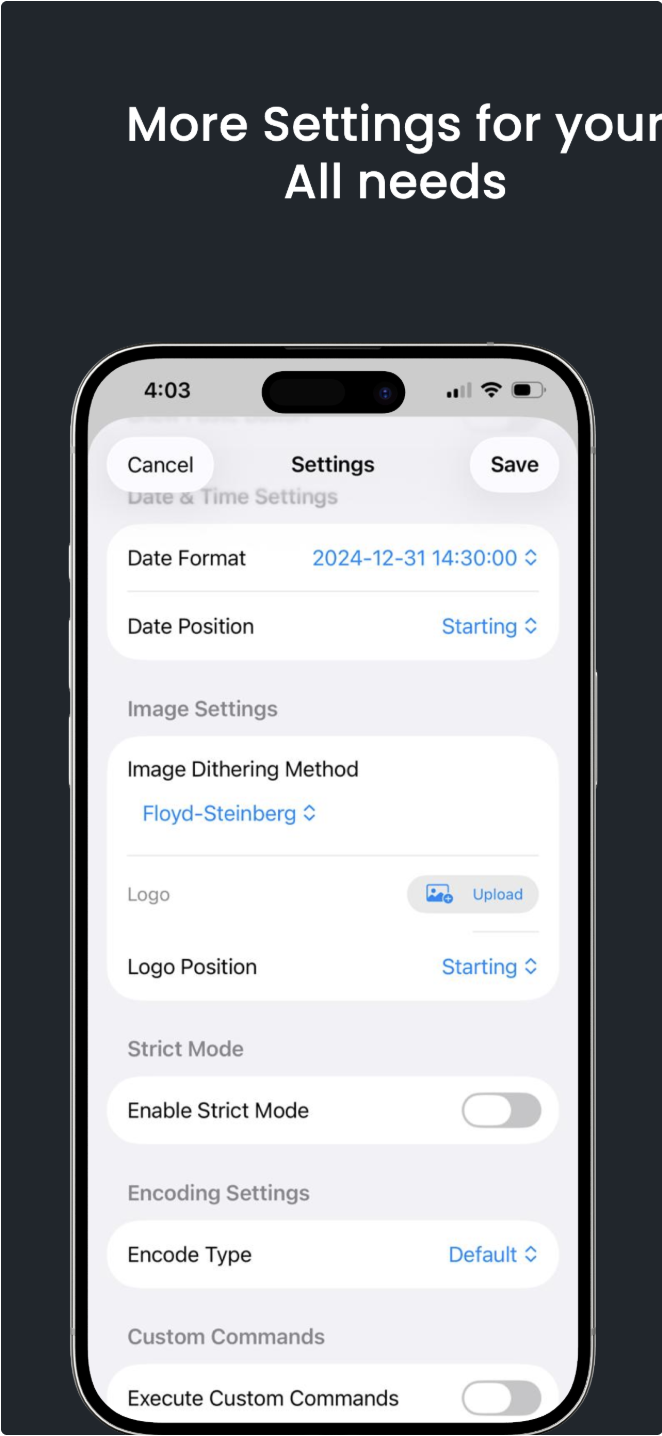
- Date & Time Settings — set your preferred date format and position on the receipt
- Image Dithering Method — choose Floyd-Steinberg, Atkinson, Threshold, or others for best image quality
- Logo Upload — upload your business logo to auto-print at the top of every receipt
- Strict Mode — locks printed output to exactly match the preview, eliminating garbled text
- Encoding Settings — choose character encoding for your language and printer firmware
- Custom Commands — send raw ESC/POS hex commands for advanced printer control
Compatible iOS Bluetooth Thermal Printers
Simple Bluetooth Printer for iPhone works with any ESC/POS Bluetooth thermal printer with BLE support — including Rongta, Xprinter, Epson TM, Star Micronics, iDPRT, GOOJPRT, Bixolon, Munbyn, Sewoo, Citizen, Netum, 80Beat, and hundreds more. Both 58mm and 80mm paper widths are supported.
Who Is This App For?
- Small business owners — print receipts and invoices from an iPhone POS setup
- Cafe and restaurant staff — print order tickets and bills table-side
- Delivery drivers — print delivery slips and labels on the go, offline
- Market and stall vendors — portable Bluetooth receipt printing anywhere
- Warehouse teams — print QR code and barcode labels for inventory
- Event organizers — print tickets and name badges from iPhone
Frequently Asked Questions
Is Simple Bluetooth Printer available for iPhone?
Yes. Simple Bluetooth Printer is free on the App Store for iPhone and iPad running iOS 15 or later.
Does it work without Wi-Fi on iPhone?
Yes — 100% offline. The app connects directly to your thermal printer over Bluetooth BLE. No internet, no cloud, no login needed.
What Bluetooth printers are compatible with iPhone?
Any ESC/POS Bluetooth thermal printer with BLE support. Rongta, Xprinter, Munbyn, iDPRT, Star Micronics, and hundreds of others.
Can I print receipts from iPhone to a thermal printer?
Yes. Use Text Mode to build a receipt template with your items, prices, tax, and totals — tap Print and it arrives on your Bluetooth thermal printer in seconds.
Can I print invoices from iPhone?
Yes. The built-in Invoice Maker lets you add invoice number, customer name, address, line items, and tax rate — then print directly to any ESC/POS Bluetooth thermal printer.
Is the app free on the App Store?
Yes, completely free. Receipt templates, QR codes, barcodes, image printing, and the invoice maker are all free. AI Credits are earned free by watching a short ad.
Does it work on iPad too?
Yes. Simple Bluetooth Printer runs on all iPhones and iPads on iOS 15+. The interface adapts to the larger iPad screen.
Download Simple Bluetooth Printer free on the App Store for iPhone and iPad. Also on Google Play for Android. More apps at bluetoothprinter.in.