Getting Started with RasaBill — POS Billing, Table Management & KOT for Restaurants
Getting Started with RasaBill — POS Billing, Table Management & KOT for Restaurants
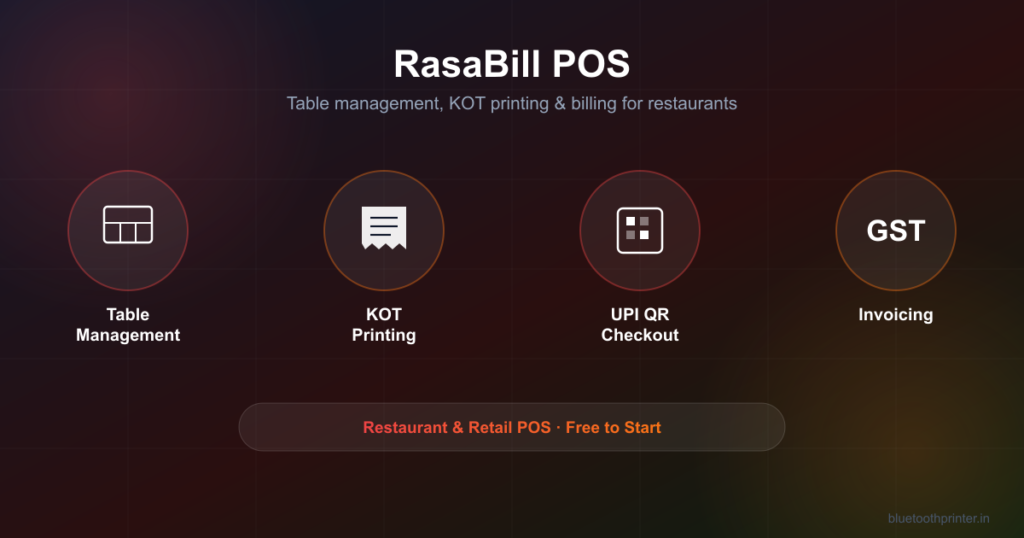
Running a restaurant or retail counter on paper order slips and a calculator doesn’t scale past a few tables. RasaBill is a full point-of-sale app built for exactly that gap — table management, Kitchen Order Tickets (KOT), GST invoicing, and UPI QR checkout, all from an Android phone or tablet, with direct Bluetooth thermal printing built in.

What RasaBill Actually Solves
Most “billing apps” stop at generating a receipt. RasaBill is built around the full order lifecycle a restaurant, dhaba, or canteen actually runs: taking an order at a table, sending it to the kitchen, billing the customer, collecting payment, and keeping the books straight for GST — without needing a separate KOT billing system, a separate card machine, and a separate accounting app. RasaBill is built by Techpuram, based in Madurai, Tamil Nadu, and is used by restaurants, dhabas, canteens, and tea stalls across Tamil Nadu and the rest of India.
Table Management POS for Dine-In
RasaBill lets you manage multiple tables simultaneously — open an order against a table, add items as the order grows through the meal, and settle the bill only when the table is ready to pay. This is the single biggest difference between a general invoicing app and an actual table management POS: the bill isn’t a one-shot transaction, it’s a running tab tied to a physical table.

KOT Billing (Kitchen Order Ticket) Printing
When a server adds items to a table’s order, RasaBill can print a Kitchen Order Ticket directly to a thermal printer at the kitchen counter — so the kitchen gets the order the moment it’s placed, not whenever someone walks over with a notepad. Orders can also be held and parked mid-service, so a server serving multiple tables at once never loses track of an in-progress order while attending to another table.
Quick Bill Mode — Built for Tea Stalls, Dhabas & Canteens
Not every counter is a sit-down restaurant. For a tea stall, dhaba, canteen, or high-volume snack counter, RasaBill has a Quick Bill mode: type the item number, press Enter, type the quantity, press Enter again, and the bill is ready to print. No tapping through a menu grid — just item number, quantity, print. It’s built for the kind of counter that bills a hundred cups of chai in an hour.

Scan a Barcode to Add Items Instantly
For packaged items — cold drinks, snacks, grocery — RasaBill can scan a product barcode and add it to the bill in one tap. If it’s the first time that barcode has been scanned, RasaBill checks a global product database, fills in the product name automatically, and adds it to your inventory going forward — so the next sale is a one-tap scan, not a manual entry.

Inventory Management with Real Item Photos
Every item in RasaBill’s inventory can carry its own photo, price, and category — so the billing screen shows a recognisable picture instead of a wall of text, which matters when a counter is being run by staff who don’t have the whole menu memorised.

Organize Items into Categories
Items sort into categories like Beverages, Snacks, Grocery, Dairy, and Bakery — so the billing grid stays fast to scan even once a menu grows past a couple of dozen items, and category filters at the top of the billing screen jump straight to the right section.

UPI QR Code at Checkout
RasaBill generates a UPI QR code at checkout so customers can pay by scanning with any UPI app — no card machine, no manual UTR entry, no separate payment terminal to reconcile against the bill.
GST Invoicing, Customer Database & Expense Ledger
Every bill can be generated as a proper GST invoice, and RasaBill keeps a customer database so repeat customers don’t need their details re-entered every visit. An expense ledger tracks outgoings alongside sales, so day-end reporting isn’t just revenue — it’s a real profit picture, from the same app, without a separate export-and-reconcile step.

Sales Reports and Daily Totals
A dashboard view shows total sales, average bill value, items sold, and a day-by-day revenue chart — filterable by today, yesterday, last 7 days, or a custom range — with a running list of recent transactions and their payment method.

WhatsApp Receipt Sharing
Instead of (or alongside) a printed receipt, RasaBill can share the bill directly to a customer’s WhatsApp — useful for delivery orders, takeaway, or customers who’d rather have a digital copy than a paper one.
Printing Receipts and KOTs on a Thermal Printer
RasaBill supports both Bluetooth and USB thermal printers for receipts and KOTs, with full control over paper size, print mode, and receipt template — including whether the header carries your logo and GSTIN, and which columns (quantity, price, tax summary, discount) appear on the printed bill.

If you’re setting up a counter printer for the first time, our Bluetooth printer setup guides for 58mm and 80mm ESC/POS printers apply the same way here — pair the printer in Android Bluetooth settings first, then select it inside RasaBill.
Frequently Asked Questions
Is RasaBill free to use?
RasaBill has a free tier covering core billing, KOT, table management, hold & recall orders, UPI QR payments, barcode scanning, and Bluetooth/USB thermal printing. A monthly Premium subscription unlocks the customer database and expense ledger.
Does RasaBill work offline?
Billing, KOT, and printing all work without an internet connection. An internet connection is only needed for cloud sync and UPI payment confirmation.
What thermal printers does RasaBill support?
Any ESC/POS Bluetooth or USB thermal printer, in both 58mm and 80mm paper widths.
Is RasaBill good for a tea stall, not just a full restaurant?
Yes — Quick Bill mode (item number, quantity, Enter, print) is built specifically for high-volume, low-ticket counters like tea stalls, where tapping through a menu grid for every order is too slow.
Is RasaBill free for dhabas, canteens, and small tea shops?
Yes. Core billing, KOT billing, table management, Quick Bill mode, barcode scanning, UPI QR payments, and Bluetooth/USB thermal printing are all free — the same free tier covers a full-service restaurant, a roadside dhaba, a canteen, or a small tea counter equally.
How is RasaBill different from Petpooja or other restaurant POS apps?
RasaBill’s core billing, KOT, table management, and UPI QR features are free — restaurant POS platforms like Petpooja typically charge ₹3,000–8,000 per month with a longer onboarding process. RasaBill is built to be installed and billing within minutes for independent restaurants, dhabas, canteens, and tea stalls.
Does RasaBill work for restaurants and canteens in Tamil Nadu?
Yes. RasaBill is built by Techpuram, based in Madurai, Tamil Nadu, and is used by restaurants, tea stalls, dhabas, and canteens across Tamil Nadu and the rest of India — currency, GST invoicing, and UPI QR payments are set up for the Indian market by default.
Related Guides
RasaBill Hits 50 Daily Active Restaurants — why fast billing is what restaurants switch for.
Best Billing App for Tea Stalls & Chai Shops in India — a closer look at Quick Bill mode for high-volume counters.
KOT & Table Management for Android Restaurants — the full dine-in workflow, table by table.