KoKoPos: Desktop POS Billing Software for Windows, Mac & Linux (2026)
KoKoPos: Desktop POS Billing Software for Windows, Mac & Linux (2026)
Quick answer: KoKoPos is a desktop point-of-sale app for Windows, Mac, and Linux — Grid, Quick, and Scan billing modes, built-in Bluetooth and USB thermal printer support, inventory management, and GST-ready invoicing. Try it free for 5 days, then buy a one-time lifetime license or a yearly plan with cloud sync.

Every other app on this site runs on a phone. KoKoPos is the desktop counterpart — built for a shop counter that already has a PC or Mac running the till, not a phone propped up next to the cash drawer. It’s a full point-of-sale system: billing, inventory, thermal printing, and reports, all in one native desktop app.
Three Billing Modes Built for Real Counters
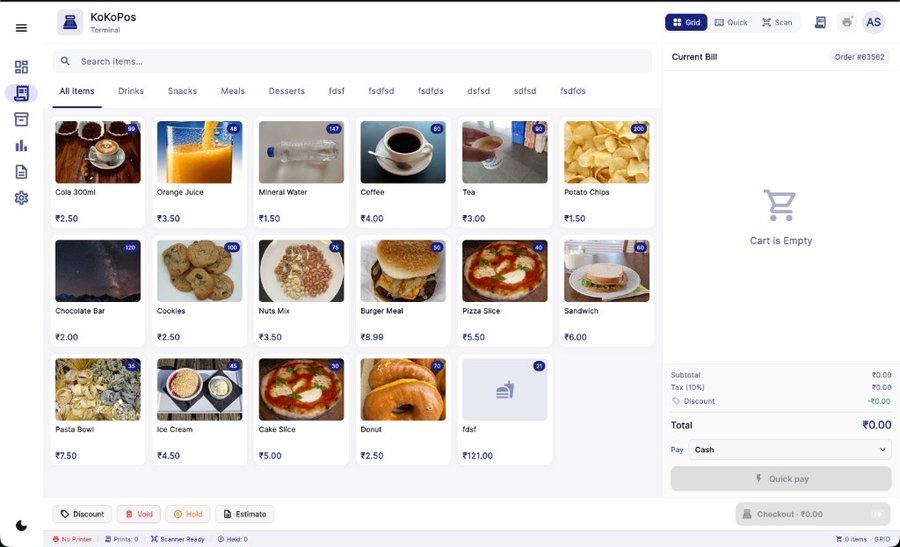
KoKoPos gives you three ways to build a bill, switchable with one click, so the workflow matches how a specific counter actually sells:
- Grid — browse products by category with images and stock badges, tap to add. Best for a supermarket or general store with a large, visual catalog.
- Quick — a compact, searchable list for fast item entry without scrolling through tiles.
- Scan — scan a barcode or type a SKU/item name, with line-level quantity, price, and tax shown as you go. Built for high-volume counters — supermarkets, wholesale, and cracker/Diwali shops doing bulk SKU billing.
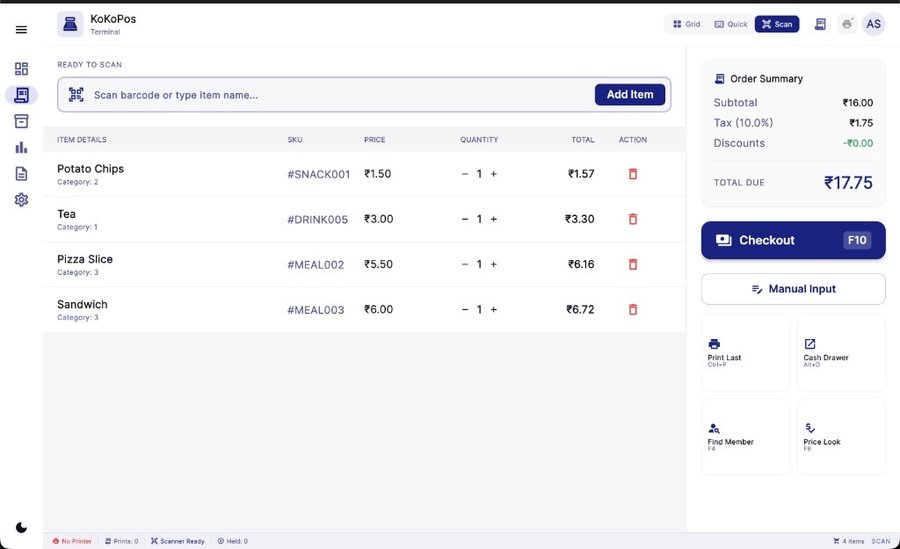
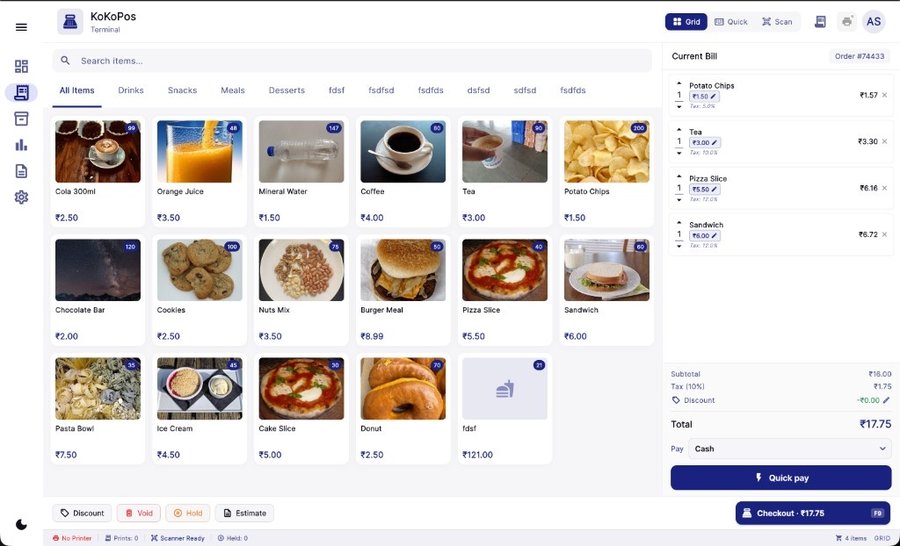
The checkout screen shows subtotal, tax, and discounts live, with quick-pay and full checkout options, keyboard shortcuts (Checkout on F10, Print Last on Ctrl+P), and a cash-drawer trigger for a real counter setup.
Built-In Bluetooth & USB Thermal Printer Support
Receipt printing is native to the app — connect a Bluetooth or USB thermal printer directly from KoKoPos, no separate phone app or bridge needed. If you also want to print from a phone at the same counter — for a mobile order, a delivery slip, or a backup device — pair it with Simple Bluetooth Printer or Bluetooth-USB Thermal Printer+, both from the same team.
Inventory, Reports & GST Invoicing
Stock is tracked from purchase to sale, with low-stock visibility so you don’t sell what you don’t have. Sales reports cover daily, weekly, and product-level performance — what’s selling, average bill value, and payment method breakdown. Invoices are GST-ready with tax shown per line item and at the total.
Pricing — Own It Once, or Pay Yearly
All plans start with a 5-day free trial, no credit card required. Prices shown are before 18% GST.
| Plan | Price | Devices | Includes |
|---|---|---|---|
| Lifetime Solo | ₹4,499 one-time | 1 device | Billing, printing, inventory, reports |
| Lifetime | ₹6,999 one-time | Up to 3 devices | Everything in Solo + label printing |
| Pro (most popular) | ₹1,499/year | Multi-device | + Cloud sync/backup, team (up to 5), priority support |
| Business | ₹2,499/year | Multi-device | + Contact/customer management, advanced analytics, team (up to 10) |
All plans include a 30-day money-back guarantee, and the license key is delivered instantly after payment.
Who Is KoKoPos For?
- Retail stores — high-volume billing with a full product catalog and smooth checkout.
- Supermarkets — thousands of SKUs, barcode-first workflow, low queue time.
- Wholesale counters — fast invoicing and item-level pricing for repeat B2B orders.
- Cracker & fireworks shops — barcode billing and bulk CSV import for Diwali’s peak-season counters.
Frequently Asked Questions
Is KoKoPos suitable for retail stores and supermarkets?
Yes. Grid mode is built for browsing a large visual catalog, and Scan mode is built for fast, high-volume barcode billing — both cover everything from a single-counter retail shop to a supermarket with thousands of SKUs.
Does KoKoPos work with Bluetooth and USB thermal printers?
Yes, thermal printer support is built in — connect a Bluetooth or USB receipt printer directly from the app, no separate bridge or phone app required.
Can I use KoKoPos on multiple devices?
The Lifetime Solo plan covers one device. Lifetime covers up to 3 devices. Pro and Business are multi-device with cloud sync, so billing data stays in sync across every connected machine.
How quickly do I get the license key after payment?
Instantly — the license is delivered right after checkout, and you can start billing the same day.
Is there a free trial?
Yes, 5 days, no credit card required, on Windows, Mac, or Linux.
Can cracker shops use KoKoPos for Diwali billing?
Yes — Scan mode with bulk CSV import is built for exactly this: fast barcode billing for sparklers, gift boxes, and fireworks during peak-season rushes.
Get Started
Try KoKoPos free for 5 days →
Download for Mac →
Download for Windows →
Need mobile printing too? See Bluetooth-USB Thermal Printer+ →