Print From Any Android App to a Bluetooth Thermal Printer — No Dedicated App Needed
Print From Any Android App to a Bluetooth Thermal Printer — No Dedicated App Needed
Most thermal printer apps only let you print from inside that one app. Bluetooth Printer+ works differently — install it once, and every app on your phone that has a “Print” option can send output straight to your Bluetooth or USB thermal printer, using Android’s own built-in print menu.
Why This Is Different From a Normal Printer App
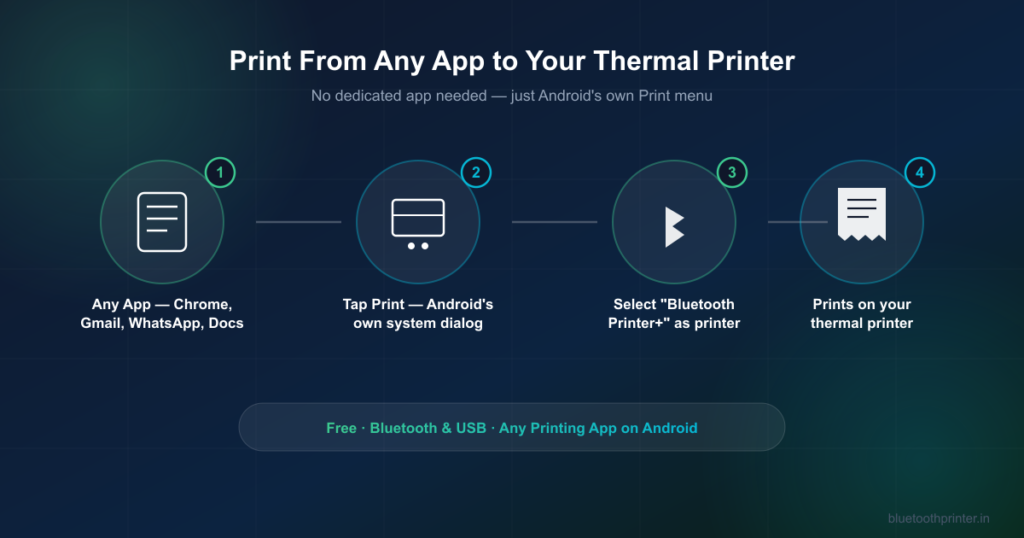
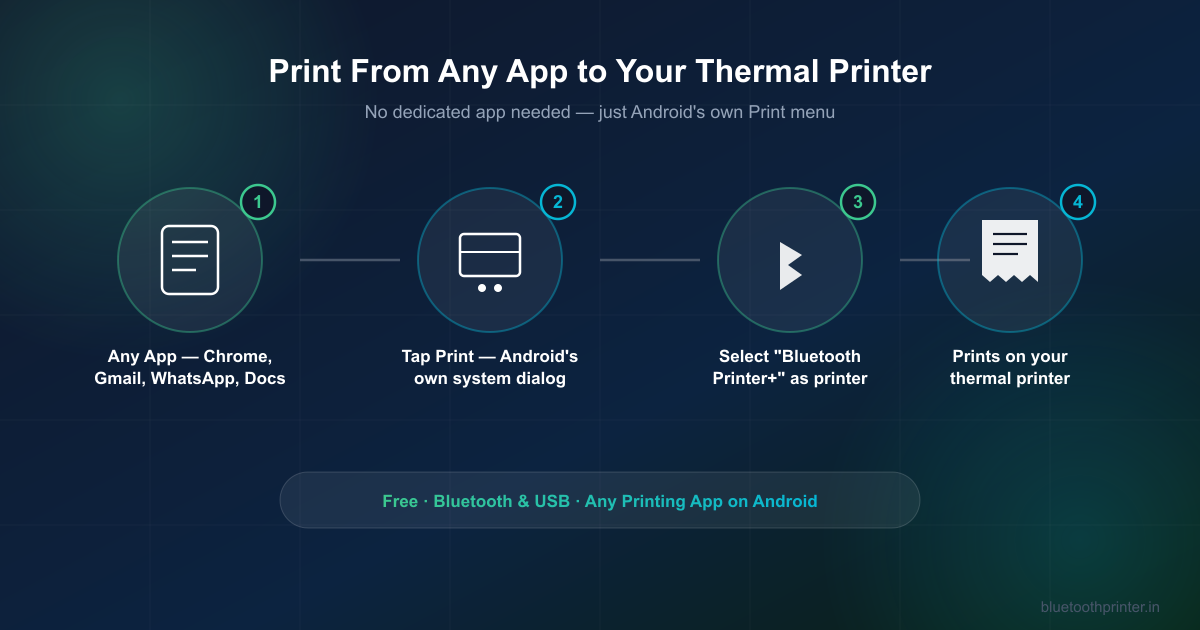
A typical thermal printer app is a closed box — you type or paste content into that app, and only that app can print it. Bluetooth Printer+ registers itself as an Android print service instead, which means it plugs directly into the same “Print” button already built into Chrome, Gmail, WhatsApp, Google Docs, and pretty much every Android app that supports printing at all. You don’t copy anything into Bluetooth Printer+ — you just print from wherever the content already is.
What You Can Actually Print
- A webpage from Chrome — directions, a recipe, a confirmation page
- An email from Gmail — an order, a boarding pass, a booking confirmation
- A PDF from Google Drive or any file viewer
- A photo shared to you on WhatsApp
- A document from Google Docs or any office app
If the app has a Print option in its menu, Bluetooth Printer+ can take it from there.
How to Set It Up
- Install Bluetooth Printer+ from Google Play.
- Pair your Bluetooth thermal printer under Android’s own Bluetooth settings, the same way you’d pair headphones.
- Go to Android Settings → Connected devices → Printing, and turn on Bluetooth Printer+.
- From any app, open the item you want to print and tap Print. Your thermal printer now shows up in the list — by its own Bluetooth name — right alongside any other printer.
What Happens to the Content Before It Prints
Thermal printers can only print black or white, dot by dot — there’s no in-between grey. Bluetooth Printer+ renders whatever you’re printing into an image and applies dithering, which turns photos, logos, and shaded text into patterns of black and white dots that still look right on paper instead of collapsing into solid black blocks. This happens automatically — there’s nothing to configure for a normal print job.
Paper Sizes and Printers It Works With
Bluetooth Printer+ supports the standard thermal receipt roll size as well as A4, A5, A6, and wider roll paper, and works with any Bluetooth or USB thermal printer that speaks the common ESC/POS printer language — which covers the large majority of receipt and label printers sold today, regardless of brand.
Frequently Asked Questions
Do I need to copy text into the app to print it?
No. Open whatever you want to print in its own app — browser, email, PDF viewer — and use that app’s own Print option. Bluetooth Printer+ appears as a printer choice; you never leave the original app.
Does my printer need to support a specific brand’s app?
No. Bluetooth Printer+ isn’t tied to any printer brand. Any Bluetooth or USB thermal printer using the standard ESC/POS printer language works, once it’s paired with your phone.
Is Bluetooth Printer+ free?
Yes, it’s free to install from Google Play.
Does it work with USB printers too, not just Bluetooth?
Yes — both Bluetooth and USB thermal printers are supported through the same system print menu.
I’m a developer — can I use this in my own app?
Yes. Since Bluetooth Printer+ works through Android’s standard PrintManager API, any app you build can send print jobs to it without a printer SDK. See the Android developer integration guide for details.