Bluetooth Thermal Printer Disconnecting, Printing Slow, or Cutting Off Labels? Here’s Why (And the Fix)
Bluetooth Thermal Printer Disconnecting, Printing Slow, or Cutting Off Labels? Here’s Why (And the Fix)
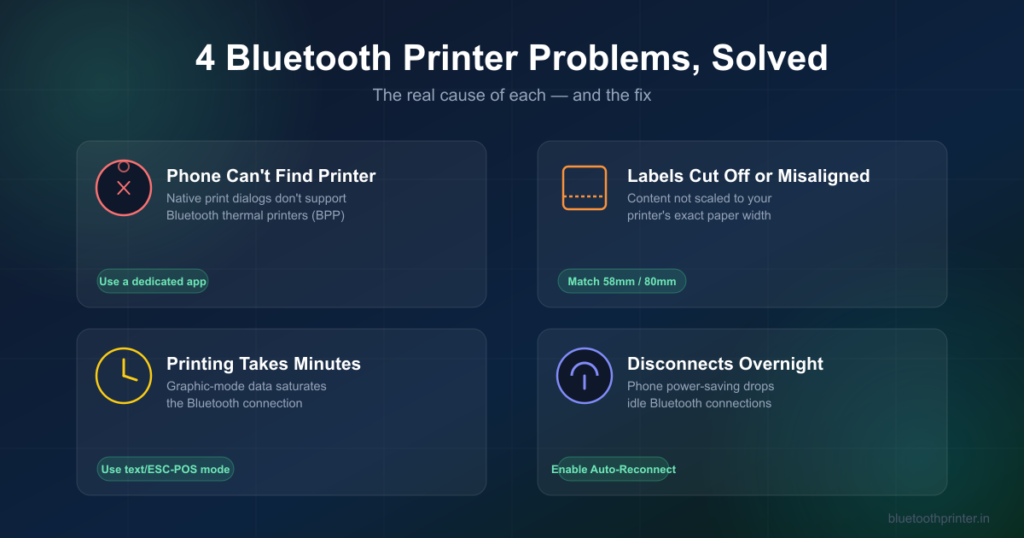
If you’ve paired a Bluetooth or USB thermal printer with your phone and run into blank gaps, cropped labels, multi-minute print delays, or a printer that quietly disconnects overnight — you’re not doing anything wrong. These are the four most common thermal printing complaints, and each one has a specific, fixable cause. Here’s what’s actually happening, and how Simple Bluetooth Printer avoids each one.
Quick answer: Cut-off labels are almost always a paper-width scaling problem (not sending content sized to 576 dots for an 80mm roll). Slow printing is almost always graphic-mode data instead of text/ESC-POS commands. Overnight disconnects are phone power-saving, not a printer fault — disable Auto-Lock and manage the connection from inside the printing app, not the system Bluetooth menu.
1. “My Phone Can’t Find My Bluetooth Printer” — The Native Print Dialog Problem
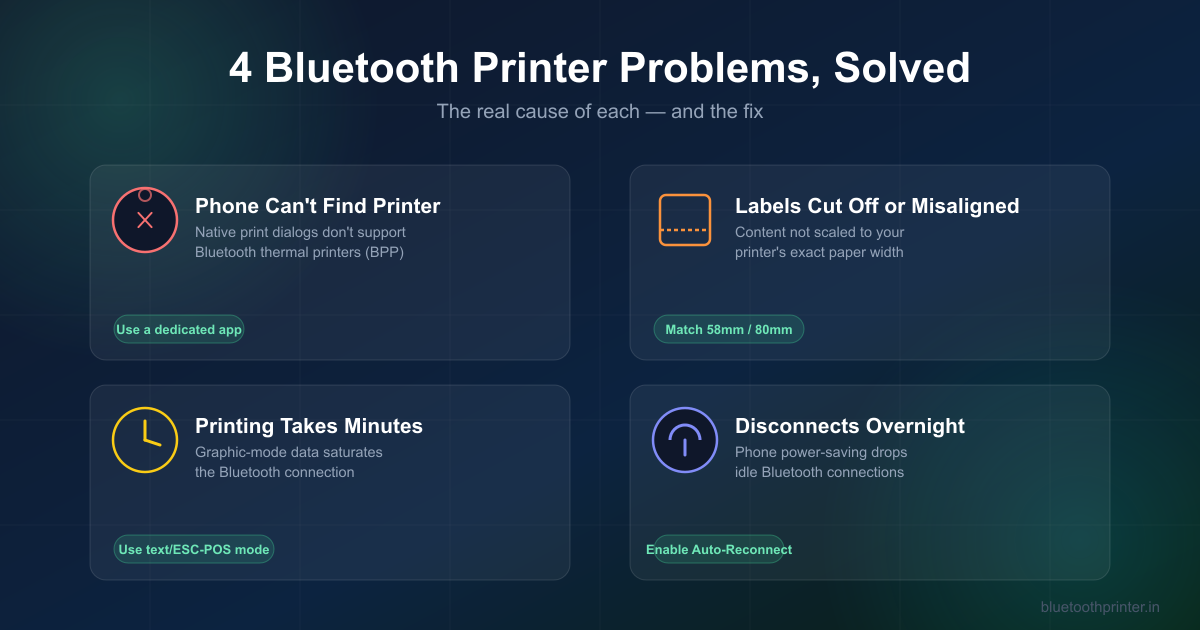
Android and iOS’s built-in print systems (Mopria and AirPrint) are built for Wi-Fi laser and inkjet printers, not Bluetooth thermal printers. Neither operating system implements the Bluetooth Basic Printing Profile (BPP) that thermal printers use, so your phone’s native “Print” button simply can’t see a paired thermal printer — no matter how correctly it’s paired in Bluetooth settings.
The fix: a dedicated thermal printing app that talks to the printer directly over Bluetooth SPP/BLE, bypassing the OS print dialog entirely. This is why “screenshot it and print as an image” workarounds exist — and also why they degrade barcode and QR code quality. A proper thermal printer app should let you print structured content (text, QR, barcodes) as native commands, not rasterized screenshots.
2. Labels Printing Cut Off, Misaligned, or Feeding Blank Pages
This one comes down to math. An 80mm thermal printer has an effective print width of about 72mm — roughly 576 dots at the standard 203 DPI (≈8 dots/mm) most thermal printers use. If an app sends a full-size, unscaled PDF or image built for 8.5×11″ paper, the result is text clipping and cut-off borders, because nothing recalculated the content to fit a 576-dot canvas.
Label printers add a second failure mode: gap/black-mark commands. If the software doesn’t tell the printer exactly where one label ends and the next begins, the printer either feeds paper endlessly or cuts a label layout in half.
The fix: the app needs to know your paper width (58mm or 80mm) and rasterize content to that exact dot width — not scale a fixed-size document down and hope. Simple Bluetooth Printer’s templates are built for 58mm/80mm from the start, so a receipt or label looks the same regardless of which roll size you’re using.
3. Why Printing Takes Minutes Instead of Seconds
Bluetooth is a low-bandwidth serial connection. If a print job is sent as a high-resolution graphic (a full canvas bitmap), the raw payload can exceed a megabyte — and pushing that over a standard Bluetooth serial link can saturate the printer’s buffer, causing multi-minute delays or timeouts. This is an extremely common issue with POS software that renders receipts as images rather than text commands.
The fix: print in text/command mode (ESC/POS), not graphic mode, whenever the content is plain text. ESC/POS commands are a few kilobytes at most, so receipts print near-instantly. Reserve image mode for actual images — logos, photos, QR codes — where a graphic really is required.
4. Why the Printer Disconnects Overnight or After Sitting Idle
This isn’t a printer fault — it’s the phone’s power management. iOS suspends background Bluetooth activity when a device locks or sits idle to save battery, which drops the connection and forces a manual re-pair the next morning. Android has similar (if less aggressive) power-saving behavior on some manufacturers’ skins.
The fix, on iOS: disable Auto-Lock while actively using the printer (Settings → Display & Brightness → Auto-Lock → Never during business hours), and make sure Background App Refresh is enabled for your printing app. Just as importantly, pair and manage the printer connection from inside the printing app itself rather than the system Bluetooth menu — an app that owns the connection can reconnect automatically when you open it, instead of requiring a manual re-pair.
Why This Matters More on Cheap Hardware
Budget Bluetooth thermal printers ($15–$75, commonly sold on Amazon, Temu, and AliExpress) usually ship with companion apps built by the hardware manufacturer, not a dedicated software team — and those apps are frequently the actual source of these four problems, not the printer hardware itself. A well-built printing app can make a $20 printer behave as reliably as a $200 one, because the printer only executes ESC/POS commands correctly formatted for it — the app is what determines whether that happens.
Frequently Asked Questions
Why does my thermal printer print gibberish or wrong characters?
That’s usually a character-encoding mismatch, not a connection problem — see our guide to thermal printer encoding for the fix.
Does Simple Bluetooth Printer work with budget/unbranded printers?
Yes — any printer that speaks standard ESC/POS over Bluetooth is supported, regardless of brand, including Rongta, Xprinter, GOOJPRT, Munbyn, and most unbranded models sold on Amazon or AliExpress.
Can I fix slow printing without changing my printer?
In most cases, yes — the delay is almost always software sending graphic-mode data instead of text commands, not a hardware limitation. Switching the print job to text/ESC-POS mode resolves it without new hardware.
Print Without the Workarounds
Simple Bluetooth Printer connects to any ESC/POS Bluetooth thermal printer in seconds, prints correctly scaled to 58mm/80mm, and manages reconnection automatically — no screenshots, no manual re-pairing, no multi-minute waits.